
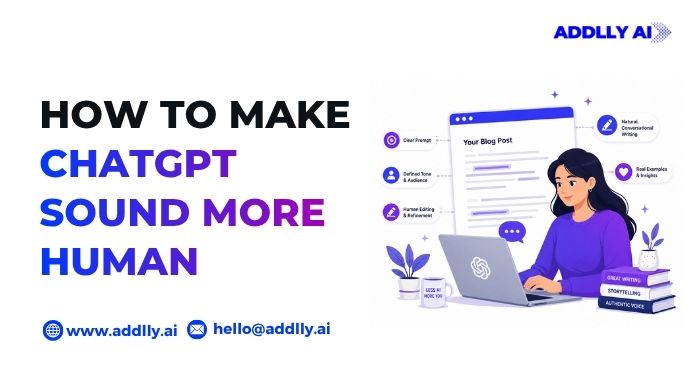
You type a prompt, press Enter, and within seconds ChatGPT delivers a clean, well-structured draft. It checks all the boxes until you actually read it. The words are right, but the writing doesn’t feel like something a real person would say. The sentences follow the same rhythm, the tone feels overly polished, and the personality is missing.
If you’ve been wondering how to make ChatGPT sound more human, it’s usually because something in the draft just doesn’t sound like you. Great AI writing isn’t just about getting the right information; it’s about creating a voice that sounds natural, authentic, and unmistakably human.
With the right prompts, better context, a consistent writing style, and a few editing techniques, you can transform generic AI-generated text into AI output that people genuinely enjoy reading. The same approach also leads to stronger ChatGPT prompts, helping the model produce better results from the very first draft.
Quick Summary – How to Make ChatGPT Sound More Human
- How to make ChatGPT sound more human starts with better prompts, not better AI.
- Your editing process matters just as much as the prompt you write.
- Personal stories, opinions, and examples are what transform AI content into authentic writing.
- Saving and refining your best prompts leads to more consistent, high-quality results over time.
- The most human-sounding AI content balances natural writing with a structured content strategy.
Why Does ChatGPT Sound Robotic?
Most people don’t notice it while ChatGPT is writing. They notice it after they start reading. The ideas make sense, the grammar is correct, and the structure is clean, yet something feels unnatural. That’s because ChatGPT isn’t trying to sound human. It’s trying to predict the next most likely word based on the information you provide. When the prompt lacks context, the result is usually safe, polished, and generic.
It Predicts Patterns, Not Personality
ChatGPT is trained to recognize language patterns across billions of examples. Instead of copying someone’s writing style, it predicts what sentence is most likely to come next. That makes the AI output fluent, but it also explains why different responses often share a similar rhythm, sentence structure, and tone.
Generic Prompts Produce Generic Writing
A prompt like “Write a LinkedIn post about AI” gives ChatGPT almost no direction. It doesn’t know your audience, your background, your preferred writing style, or even whether you want the post to sound conversational or professional. The less context you provide, the more likely it is to rely on common phrases, corporate buzzwords, and predictable sentence patterns.
Safety Training Encourages Neutral Language
ChatGPT is designed to be helpful and reliable across millions of conversations. As a result, it naturally avoids language that sounds overly opinionated, emotional, or controversial. While this makes the content safer, it can also make AI-generated text feel overly polished and lacking in personality.
It Doesn’t Know Your Voice Unless You Teach It
Unlike a human editor who becomes familiar with your tone over time, ChatGPT starts every new conversation with limited context. Unless you share writing samples, define your audience, or explain your preferred style, it has no reliable way to mimic how you naturally communicate. If you regularly use ChatGPT for work, spending a little time training ChatGPT on your own data can help the model produce responses that are much closer to your natural voice and writing style.
How to Make ChatGPT Sound More Human (13 Proven Techniques)
Making ChatGPT sound more human isn’t about using a single prompt or secret trick. It’s about giving the model better context, clearer instructions, and refining the output until it reflects your own voice. Here are 13 proven techniques that consistently produce more natural, engaging, and authentic writing.
1. Define a Persona Before You Start Writing
ChatGPT can only write as well as the context you give it. If your prompt simply says, “Write a blog” or “Create a LinkedIn post,” the model defaults to a neutral writing style that often feels generic. Defining a persona helps ChatGPT understand who it’s writing as and who it’s writing for, making the AI output sound more natural, relevant, and consistent.
Before you generate content, tell ChatGPT:
- Who it should write as (marketer, founder, teacher, consultant, etc.).
- Who the target audience is.
- The tone you want, such as conversational, professional, or friendly.
- Any words or corporate buzzwords it should avoid.
Giving ChatGPT this level of direction is similar to how an AI blog writer creates better content when it understands the writer, audience, and objective before it starts generating text.
2. Share Writing Samples It Can Learn From
If you want ChatGPT to sound like you, show it how you write. A few emails, blog posts, LinkedIn posts, or articles you’ve written are often more valuable than a long list of instructions. By analyzing your sentence structure, vocabulary, tone, and writing habits, ChatGPT can produce content that feels much closer to your natural voice.
You don’t need dozens of examples. Even 2–3 well-written samples can make a noticeable difference.
When sharing writing samples, ask ChatGPT to pay attention to:
- Your sentence length and writing rhythm.
- The words and phrases you use frequently.
- How formal or conversational your tone is.
- Whether you prefer storytelling, facts, or direct explanations.
This technique is a practical example of few-shot prompting, where you guide the model with examples instead of relying only on written instructions.
3. Stop Asking It to “Sound Human”
One of the biggest mistakes people make is telling ChatGPT to “sound more human.” While the instruction seems clear, it’s actually too vague. What sounds human to a marketer may sound completely different to a lawyer, teacher, or software engineer. Without specific guidance, ChatGPT falls back on generic AI-generated text that often feels repetitive and impersonal.
Instead of using broad instructions, tell ChatGPT exactly how you want the content to read.
For better ChatGPT prompts, include details like:
- The tone you want, such as conversational, confident, or empathetic.
- The target audience you’re writing for.
- The level of expertise the reader has.
- Writing preferences, such as using short sentences, contractions, or storytelling.
- Words, phrases, or AI buzzwords to avoid.
The more specific your prompt, the more natural the AI output will be. This is one of the simplest ways to improve response quality without changing the underlying content.
4. Write Prompts That Describe Style, Not Adjectives
Words like “human,” “engaging,” or “professional” are open to interpretation. ChatGPT doesn’t know what those adjectives mean in your specific context, so the resulting AI writing can still sound generic. Instead of describing the outcome, describe the writing style you want the model to follow.
The best ChatGPT prompts focus on concrete writing characteristics, such as:
- The tone (friendly, analytical, persuasive, or conversational).
- Sentence length (short and punchy or detailed and descriptive).
- Writing rhythm (fast-paced, varied, or reflective).
- Vocabulary level (simple, technical, or industry-specific).
- The intended audience and their level of expertise.
For example, instead of saying “Make this sound human,” try “Write in a conversational tone using short sentences, everyday language, and occasional rhetorical questions. Avoid clichés and corporate jargon.” The more specific your instructions, the more natural and consistent the AI output becomes.
Understanding different types of tones in writingcan also help you give ChatGPT clearer stylistic instructions instead of relying on vague adjectives.
5. Use Custom Instructions for Consistent Results
If you use ChatGPT regularly, setting up Custom Instructions is one of the easiest ways to make every response sound more like you. Instead of repeating the same preferences in every prompt, you can tell ChatGPT how you write, who your audience is, and what it should consistently avoid. The model will automatically apply those preferences to future conversations.
Your Custom Instructions can include:
- Your preferred tone and writing style.
- Your target audience.
- The sentence length and vocabulary you prefer.
- Words, phrases, or AI buzzwords to avoid.
- Formatting preferences, such as using bullet points, headings, or active voice.
You can also mention whether you prefer storytelling, data-backed explanations, or concise answers. The more specific your instructions, the more consistent your AI writing will become across blogs, emails, and social posts, making how to make ChatGPT sound more human much easier over time.
If you’re just getting started, how to use ChatGPT covers the platform’s core features, including ways to personalize your experience for better results.
6. Vary Sentence Length and Structure
One reason AI content feels predictable is that it often follows the same rhythm from beginning to end. If every sentence is roughly the same length, the writing becomes monotonous. Mixing short statements with long sentences creates a more natural flow and keeps readers engaged.
When editing your rough draft, ask ChatGPT to:
- Mix short, medium, and long sentences.
- Break up repetitive sentence patterns.
- Use transitions naturally instead of relying on em dashes.
- Rewrite paragraphs to improve clarity and reading rhythm.
- Read the content aloud and adjust any sentence that sounds repetitive.
This technique not only helps humanize AI output, but it can also reduce patterns that are commonly flagged by AI detectors. If you already have a style guide, include it in your prompt so ChatGPT can maintain a consistent voice while still using varied sentence structures.
Understanding different types of content writing can also help you vary sentence structure based on whether you’re writing a blog, email, landing page, or social media post.
7. Replace AI Buzzwords With Natural Language
One of the easiest ways to identify AI content is by the words and sentence patterns it repeats. Phrases like “delve into,” “furthermore,” “cutting-edge,” and “robust solution” rarely appear in everyday conversations. Overusing them makes the writing feel generic, even if the information is accurate.
As you edit your draft, replace AI-sounding language with words people naturally use.
Instead of writing:
- Delve into → Explore, explain, or discuss.
- Furthermore → Also, besides, or remove it altogether.
- Cutting-edge → New, advanced, or innovative.
- Seamless → Smooth or easy.
- Robust → Reliable, comprehensive, or effective.
- Leverage → Use.
- In today’s world → Be more specific or remove it.
- It’s important to note → State the point directly.
Also watch for repetitive AI writing patterns, such as:
- “It’s not X, it’s Y.”
- “Let’s dive in.”
- “The good news is…”
- “Here’s the thing…”
- “The key takeaway is…”
- “At the end of the day…”
- “Needless to say…”
- “Whether you’re a beginner or an expert…”
These phrases aren’t always wrong, but using them repeatedly makes the writing predictable. Replacing them with simple, direct language creates a more natural reading experience. In fact, removing these obvious AI signals is one of the easiest ways of making AI text undetectable without changing your original message.
8. Use Active Voice, Contractions, and Strong Verbs
A common reason AI writing feels robotic is that it relies on passive voice, overly formal language, and weak verbs. Switching to active voice, using natural contractions, and choosing strong verbs instead of adverbs makes the writing more direct, conversational, and engaging without changing the meaning.
When reviewing your draft, ask ChatGPT to:
- Rewrite sentences using active voice whenever possible.
- Use strong verbs instead of adverbs for clearer, more direct expression.
- Use contractions like it’s, you’re, and don’t where they sound natural.
- Vary sentence length to create a smoother reading rhythm instead of making every sentence similar.
- Use examples and analogies to clarify ideas, especially when explaining complex topics.
- Incorporate examples and metaphors for clarity so readers can understand concepts more easily.
- Add light humor only when it genuinely fits the audience and context.
- Ask for relatable examples if the response feels too abstract or generic.
These simple edits are among the most effective techniques for how to make ChatGPT sound more human because they make the writing feel more conversational and authentic. Many writers also test AI writing with detection tools after editing to identify repetitive patterns that still need improvement.
Small changes like these often determine whether readers perceive the final draft as AI content vs human written content, even when the ideas themselves remain unchanged.
9. Ask ChatGPT to Critique and Rewrite Its Own Draft
Most people stop after ChatGPT generates the first draft, but that’s often where the real improvement begins. Instead of starting over, ask ChatGPT to review its own work and explain what feels repetitive, unclear, or overly AI-generated. This simple feedback loop can significantly improve the quality of the final output.
After generating a draft, try prompts like:
- Identify sentences that sound robotic or repetitive.
- Rewrite this draft to sound more conversational while keeping the meaning unchanged.
- Remove unnecessary filler words and improve clarity.
- Replace repetitive phrases with more natural alternatives.
- Suggest where stronger examples or smoother transitions would improve the flow.
This iterative approach works because iterative feedback improves the quality of ChatGPT’s conversational style. Rather than expecting the perfect draft on the first attempt, treat AI writing as a collaborative process where each revision brings the content closer to your own voice.
10. Add Your Stories, Opinions, and Real Examples
ChatGPT can summarize information, explain concepts, and generate ideas, but it can’t genuinely share your experiences. It doesn’t know the lessons you’ve learned, the challenges you’ve faced, or the opinions you’ve formed over time. That’s why even well-written AI content can feel generic if it lacks a personal perspective.
Before publishing, enrich the draft with details only you can provide:
- Share a personal story or lesson you’ve learned.
- Include your opinion or unique perspective on the topic.
- Add real examples from your work, projects, or conversations.
- Mention practical results, mistakes, or insights you’ve experienced.
- Replace generic scenarios with situations your audience can relate to.
These additions give readers something AI can’t fabricate authentically. More importantly, they build credibility, make the content more memorable, and create a voice that readers recognize as yours rather than something that could have been generated for anyone.
11. Read It Aloud Before Publishing
A draft can look perfect on the screen but sound awkward when you actually read it. Reading your content aloud helps you catch repetitive phrasing, unnatural transitions, and sentences that are longer than they’re supposed to be. It’s one of the quickest ways to realize where the writing loses its natural rhythm.
As you review your draft:
- Read it as if you’re having a talk with a friend, not presenting a report.
- Drop words or phrases that interrupt the flow without adding value.
- Imagine reading the article to someone who has never heard of the topic before.
- Paste paragraphs into a text-to-speech tool if you prefer listening instead of reading.
- Ask yourself, “Would I actually say this in a real conversation?”
- Save your edits, take a short break, and read the draft again with fresh eyes.
You’ll often notice awkward wording that you completely missed a moment earlier. In truth, the final polish usually comes from reading the content aloud rather than generating another draft. This simple editing habit is one of the easiest ways to improve your writing, regardless of whether the first draft was written by you or AI.
These final edits also make a noticeable difference when using AI for SEO, since content that’s easier to read tends to keep readers engaged for longer.
12. Compare It With Content You Actually Admire
One of the best ways to improve AI writing is to compare it with content you genuinely enjoy reading. Pick a blog, newsletter, or LinkedIn post from a writer whose style you admire, then compare it with your own draft. You’re not trying to copy their words. You’re studying what makes the writing feel natural.
Pay attention to things like:
- How they open and close sections.
- The balance between short and long sentences.
- How they use stories, examples, or humor.
- The level of detail they include without overexplaining.
- Their word choice, transitions, and overall rhythm.
Once you’ve identified the differences, ask ChatGPT to rewrite specific sections by following those stylistic patterns instead of generating an entirely new draft. This approach preserves your ideas while steadily moving the writing closer to the quality and voice you want to achieve.
13. Build Your Own Prompt Library
Every time ChatGPT produces an excellent response, don’t let the prompt disappear. Save it. Over time, you’ll build a personal prompt library that you can reuse, refine, and adapt for different writing tasks. This not only saves time but also helps you maintain a consistent writing style across blogs, emails, social media posts, and other content.
Your prompt library can include:
- Prompts for different content formats, such as blogs, newsletters, or LinkedIn posts.
- Editing prompts for improving AI writing.
- Prompts that define your preferred tone, audience, and writing style.
- Instructions for avoiding repetitive phrases or AI buzzwords.
- Reusable prompts for brainstorming, rewriting, or proofreading.
The best prompt library isn’t built overnight. Add your most successful prompts, remove the ones that don’t work, and update them as your writing evolves. Over time, you’ll spend less time experimenting and more time creating content that consistently sounds like you.
A Prompt Template to Make ChatGPT Sound More Human
By this point, you’ve seen that how to make ChatGPT sound more human isn’t about adding a single instruction like “write naturally.” It’s about giving the model enough context to understand your voice, audience, and expectations.
Prompt
Act as [your role or persona] writing for [your target audience].
Write a [blog post, email, LinkedIn post, article, etc.] about [topic].
Before you begin, analyze these writing samples and learn my writing style: [Paste 2–3 writing samples here].
Follow these guidelines:
- Match my tone, vocabulary, sentence structure, and writing rhythm without copying my original wording.
- Write in a conversational, natural voice that sounds like an experienced human writer.
- Use active voice, contractions, and strong verbs whenever appropriate.
- Vary sentence length and paragraph length to create a natural reading rhythm.
- Include relatable examples, analogies, or metaphors where they improve clarity.
- Prioritize clarity over complexity. Use simple language unless technical terms are necessary.
- Remove unnecessary filler words and repetitive phrases.
- Avoid AI buzzwords such as delve, furthermore, leverage, robust, seamless, cutting-edge, and it’s important to note.
- Avoid predictable AI patterns like “It’s not X, it’s Y,” “Let’s dive in,” “Here’s the thing,” and similar formulaic expressions.
- Do not overuse rhetorical questions, bullet points, or transition words.
- Keep the writing engaging, authentic, and suitable for the intended audience.
Before giving me the final draft:
- Critique your own writing.
- Identify any sentence that sounds robotic, repetitive, or overly polished.
- Rewrite those sections to sound more natural.
- Check whether the writing feels like it was written by a real person rather than an AI assistant.
- Return only the improved final version.
Common Mistakes That Make ChatGPT Sound Like AI
Even the best prompts won’t produce natural writing if you make a few common mistakes during the editing process. Most AI-generated content feels robotic not because ChatGPT lacks capability, but because the writer skips important steps before publishing.
Here are some mistakes to avoid.
Using Vague Prompts
Instructions like “make it sound human” or “write better” don’t give ChatGPT enough direction. Instead, define your audience, tone, writing style, and the type of examples you want it to use.
Publishing the First Draft
The first response is rarely the strongest one. Review the draft, ask ChatGPT to critique its own writing, and revise sections that sound repetitive or generic before publishing.
Writing Overly Long Paragraphs
Large blocks of text are difficult to read and make AI-generated content feel even more monotonous. Break long paragraphs into smaller sections and use headings or bullet points where they improve readability.
Overusing Corporate Buzzwords
Words like “leverage,” “robust,” “cutting-edge,” and “it’s important to note” immediately make the writing feel less natural. Replace them with simple, everyday language whenever possible.
Leaving Repetitive Sentence Patterns Untouched
AI often repeats the same sentence structure, transition words, or opening phrases throughout a draft. Editing these patterns creates a more natural rhythm and keeps readers engaged.
Ignoring Context and Audience
A blog written for developers shouldn’t sound like one written for first-time business owners. The more context you give ChatGPT about your audience, industry, and objective, the more relevant and authentic the final content becomes.
Many of these issues aren’t obvious until you review the content from a broader perspective. Running a GEO audit can help identify whether your content is structured for AI search, aligned with user intent, and optimized for the factors that influence AI visibility beyond traditional SEO.
Final Words
How to make ChatGPT sound more human isn’t about hiding AI. It’s about using it more thoughtfully. The best results come from combining clear prompts, careful editing, and your own expertise to create content that feels authentic and valuable to readers. As AI becomes a bigger part of content creation, success will depend on how well you guide the technology rather than simply accepting its first draft.
At Addlly AI, we believe AI should help marketers produce content that not only reads naturally but also performs across modern search experiences. By combining practical writing techniques with AI-powered content optimization, you can create content that’s engaging for people, trusted by search engines, and increasingly visible across AI platforms.
FAQs – How to Make ChatGPT Sound More Human
Can ChatGPT Write Like a Human?
Yes, ChatGPT can produce human-like writing when given detailed prompts, writing samples, and clear style instructions. However, the quality of the output depends heavily on how you guide the model and how much editing you do before publishing.
Why Does ChatGPT Sound So Robotic?
ChatGPT often sounds robotic because it defaults to predictable language patterns, neutral phrasing, and generic sentence structures. Vague prompts, repetitive wording, and publishing the first draft without editing can make the content feel even more artificial.
How Do I Make ChatGPT Sound Less Like AI?
Use a defined persona, provide writing samples, describe the writing style instead of using vague adjectives, vary sentence length, remove AI buzzwords, and ask ChatGPT to critique and improve its own draft before generating the final version.
What Prompt Makes ChatGPT Sound More Natural?
There isn’t a single prompt that works every time. The most effective prompts include your role, target audience, writing style, examples of your previous work, words or phrases to avoid, and instructions to review and refine the output before presenting the final draft.
Can ChatGPT Match My Writing Style?
Yes. If you provide two or three examples of your previous writing, ChatGPT can learn your preferred tone, vocabulary, sentence structure, and rhythm, allowing it to generate content that more closely reflects your style without copying it.
Should I Edit ChatGPT’s First Draft?
Absolutely. The first draft is usually a starting point rather than the finished version. Reviewing the content, rewriting repetitive sections, adding your own insights, and improving readability will produce a much more natural and engaging result.
Is Humanizing ChatGPT Content Enough to Rank in AI Search?
No. While natural, high-quality writing improves the user experience, AI search platforms also consider factors such as topical authority, content quality, entity signals, and overall trustworthiness. Humanizing the content should be part of a broader content strategy rather than the only optimization step.

